Pay a Bill Desktop
-
Step 1
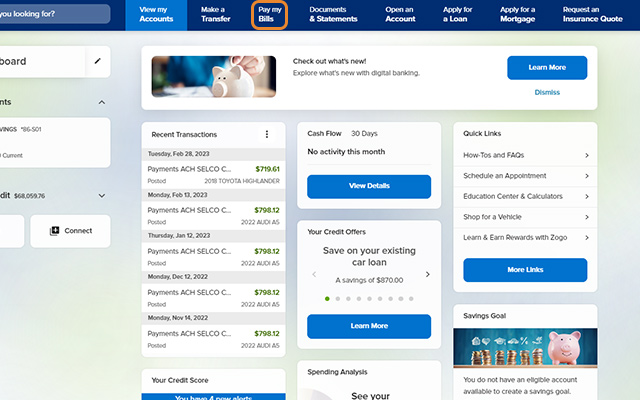
Click Pay my Bills.
-
Step 2
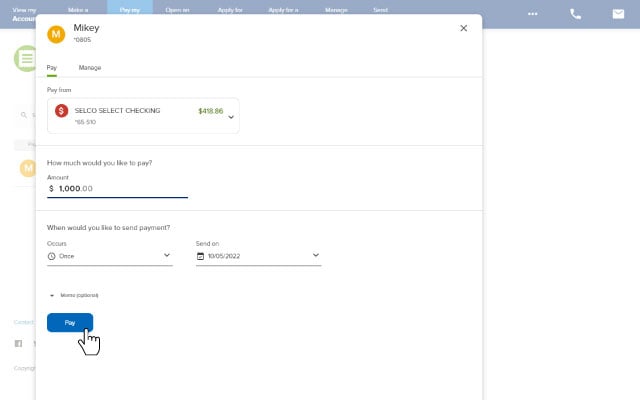
Select a payee, complete the required fields, then click Pay. (To add your first payee or additional payees, follow these steps.)
-
Step 3
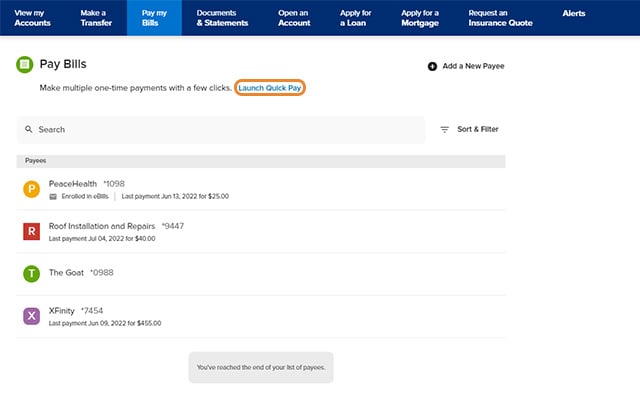
To make multiple one-time payments, click Launch Quick Pay, then follow the prompts.