We're currently working on your tax forms! Click here to learn when you'll receive your forms, how to ensure your refund arrives quickly, and more.

SELCO branches and contact centers will be closed Monday, January 19 in observance of Martin Luther King Jr. Day. Account access and support will still be available through digital banking and our virtual phone assistant.

Enable Face or Fingerprint ID

  1. Step 1

    Once you’ve enabled Face ID or fingerprint ID on your mobile device, and before logging in with your username and password: Toggle on Enable Face ID Authentication on iPhones or Enable Fingerprint Authentication on Android devices. 

    From now on, all you’ll need to log in is your Face ID or your fingerprint. You can turn this feature off at any time. 
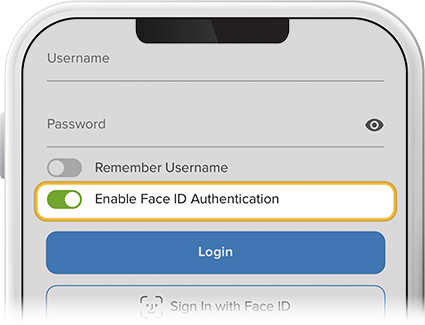
    Enable touch or face id for digital banking step