Create Advanced Card Alerts
-
Step 1
Select the associated checking or credit card account.
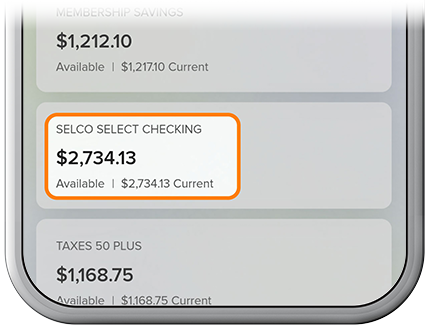
-
Step 2
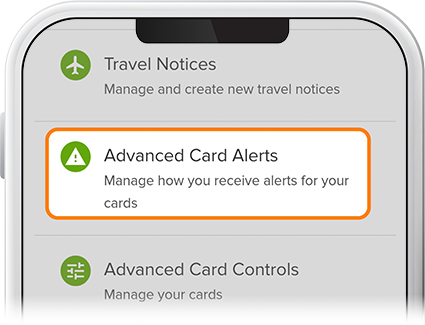
Tap Card Services, then select Advanced Card Alerts.
-
Step 3
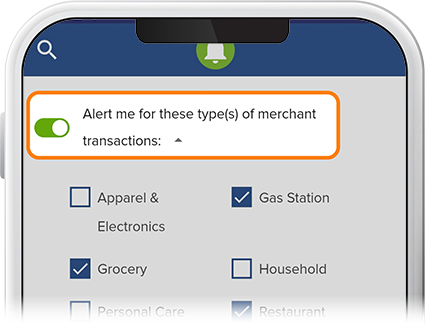
To enable alerts for certain merchant transactions, slide the corresponding toggle to “On,” check/uncheck the relevant boxes, then press Save.
-
Step 4
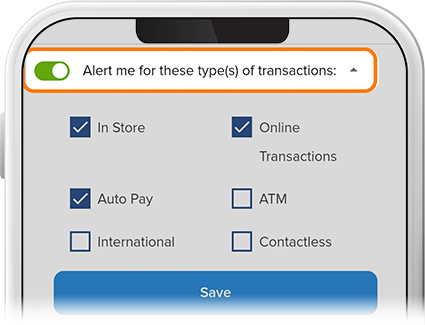
To get alerts for transaction types, slide the corresponding toggle to “On,” check/uncheck the relevant boxes, then press Save.
-
Step 5
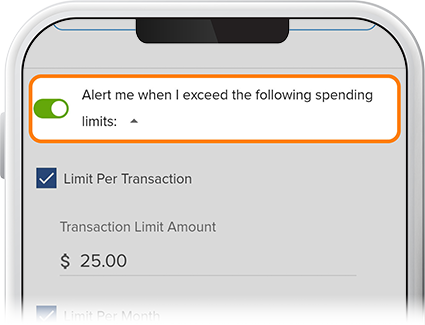
To enable alerts for when you exceed spending limits, slide the corresponding toggle to “On,” fill in transaction limits per transaction, per month (or both), then press Save.
-
Step 6
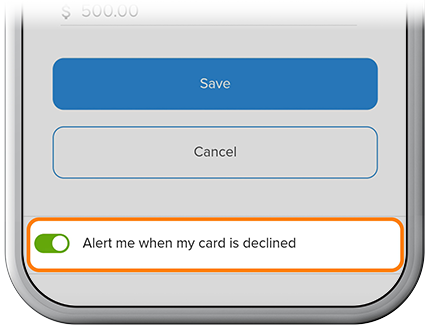
To be alerted when your card is declined, slide the corresponding toggle to “On.”