Phishing alert: Fraudsters are using texts and calls asking users to confirm unexpected transactions. If you receive one of these messages, please delete it or hang up immediately. (As a reminder, SELCO will never contact you requesting sensitive information, including login credentials.)
Remove A Device
Step 1
Tap Menu, then scroll down to the Settings drop-down and select Security.
Step 2
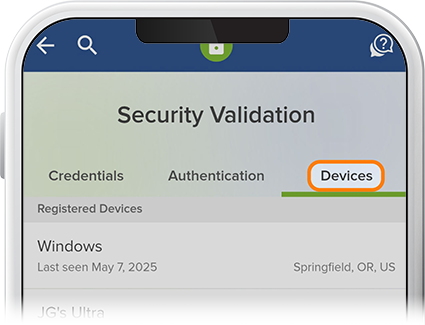
Tap Devices, then select the device you’d like to remove from digital banking.
Step 3
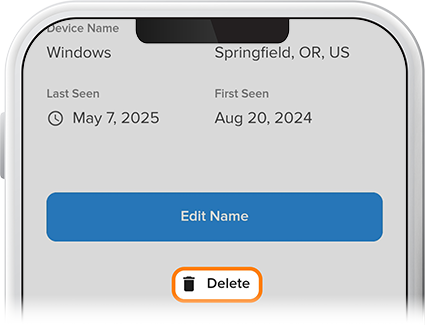
Press Delete, and that’s it.
Ahora te estás dirigiendo al sitio web en español.
Nota: En caso de diferencias entre las versiones en inglés y español del sitio web, consulta la versión en inglés o contáctanos si tienes preguntas.