We're currently working on your tax forms! Click here to learn when you'll receive your forms, how to ensure your refund arrives quickly, and more.

SELCO branches and contact centers will be closed Monday, January 19 in observance of Martin Luther King Jr. Day. Account access and support will still be available through digital banking and our virtual phone assistant.

Download Transaction History

  1. Step 1

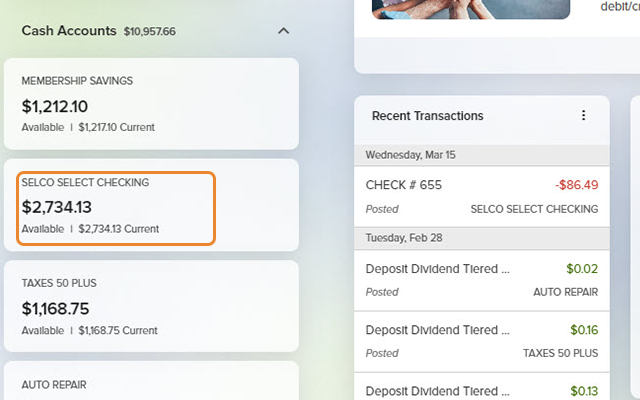
    From the dashboard, click the account you want to review. 
  2. Step 2

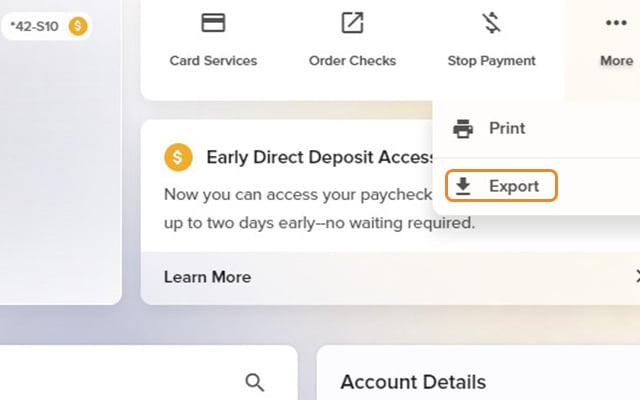
    From the More drop-down in the upper right, select Export. 
    Download Transaction History - Step 2
  3. Step 3

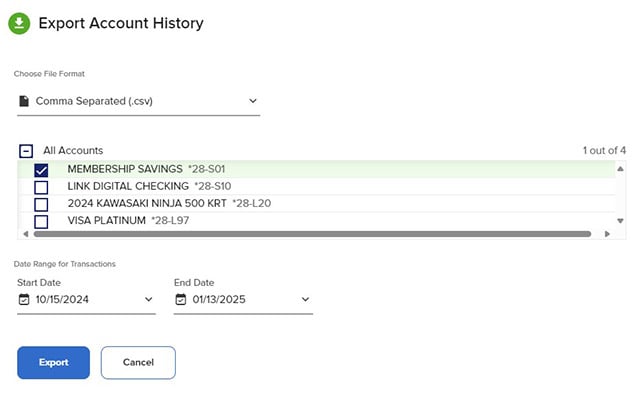
    Choose your desired file format, the account(s) for which you'd like transaction history, and a date range,  then click Export. 
  4. Step 4

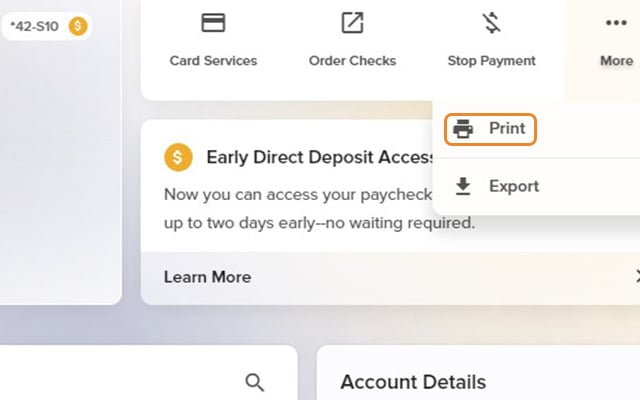
    You can also print your history and balances from the More menu. 
    Download Transaction History - Step 4