Phishing alert: We’ve received reports of impersonators calling and texting members to initiate wire transfers or cash withdrawals. As a reminder, SELCO will never contact you to request wire or cash transactions. If you receive one of these messages, please delete it or hang up immediately.
Pay a Bill Desktop
Step 1
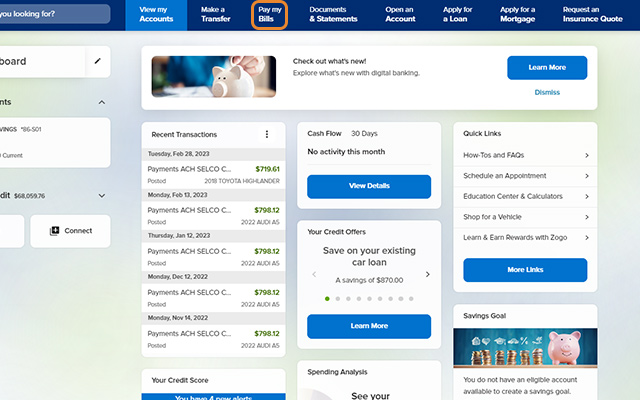
Click Pay my Bills.
Step 2
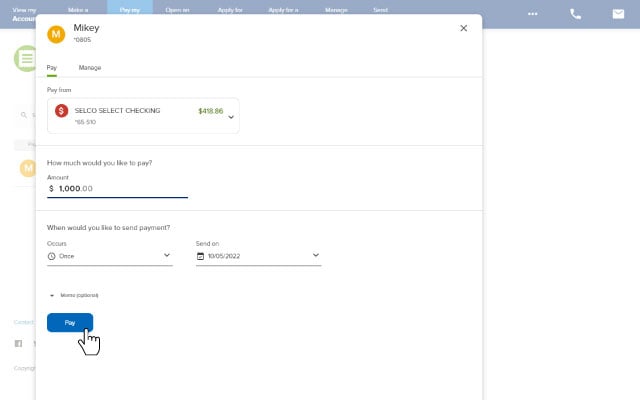
Select a payee, complete the required fields, then click Pay.(To add your first payee or additional payees, follow these steps.)
Step 3
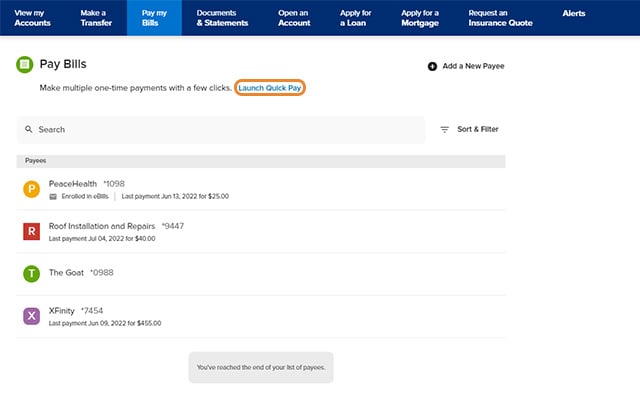
To make multiple one-time payments, clickLaunch Quick Pay, then follow the prompts.
Ahora te estás dirigiendo al sitio web en español.
Nota: En caso de diferencias entre las versiones en inglés y español del sitio web, consulta la versión en inglés o contáctanos si tienes preguntas.