Phishing alert: We’ve received reports of SELCO impersonators calling members about fraudulent transactions. As a reminder, SELCO will never contact you requesting sensitive information, including card numbers or login credentials. If you receive one of these calls, please hang up immediately.

SELCO branches and contact centers will be closed Monday, October 12 in observance of Indigenous Peoples’ Day. Account access and support will still be available through digital banking and our virtual phone assistant.

View & Update Insurance Information

  1. Step 1

    Tap Menu, then scroll to the More drop-down and select View & Update Insurance.
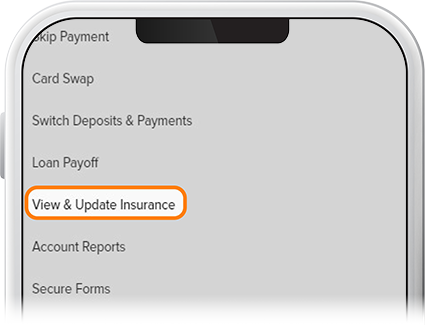
    View & Update Insurance Information - Step 1
  2. Step 2

    Your insurance status will be shown here. If you need to update your insurance, tap Update My Insurance. (Note: We also have a handy insurance quote tool here to help you get started.) If you're properly insured, no action will be required.
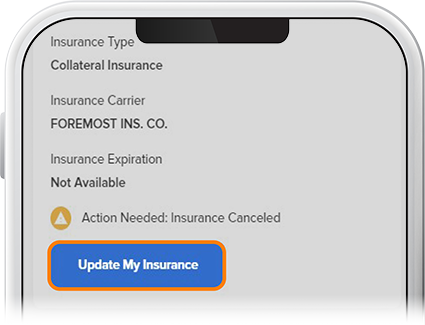
    View & Update Insurance Information - Step 2
  3. Step 3

    To update your insurance, you'll be sent to an external portal, at which you'll log in to enter your information and upload insurance documentation.
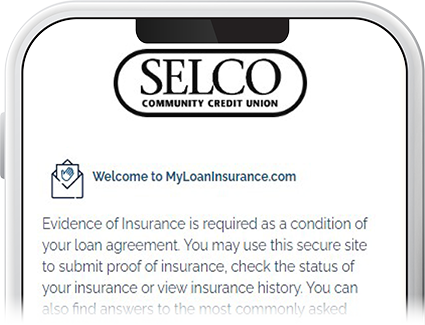
    View & Update Insurance Information - Step 3