Sign up for eStatements
-
Step 1
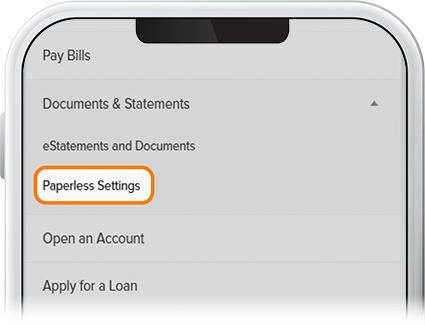
Tap Menu at the bottom of the screen, scroll to the Documents and Statements drop-down, then select Paperless Settings.
-
Step 2
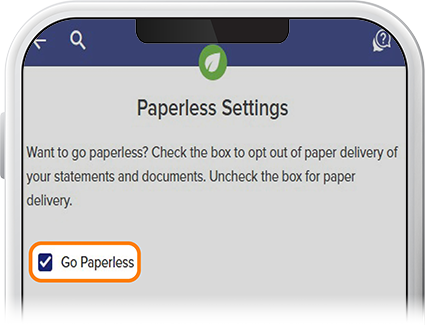
Check the “Go Paperless” box, then press Save.
-
Step 3
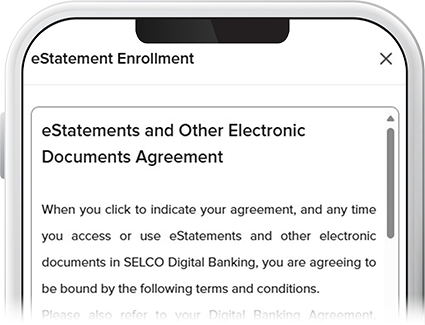
Review and accept the agreement, and that’s it! Thanks for enrolling in paperless statements.