Phishing alert: We’ve received reports of SELCO impersonators calling members about fraudulent transactions. As a reminder, SELCO will never contact you requesting sensitive information, including card numbers or login credentials. If you receive one of these calls, please hang up immediately.

  1. Tap your checking account on the homescreen.
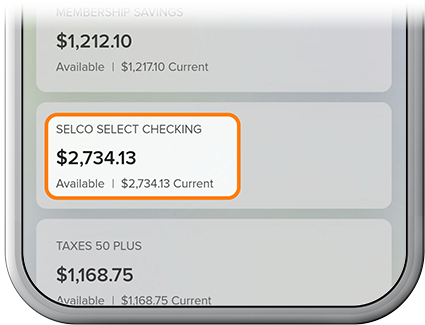
    Order Checks Graphic Step 1
  2. Tap the More drop-down near the top of the screen, then select Order Checks. (You’ll be redirected to a check-ordering site, at which you’ll be able to submit your order.) Once your check order has been submitted, you can expect to receive your checks within 7-10 business days.
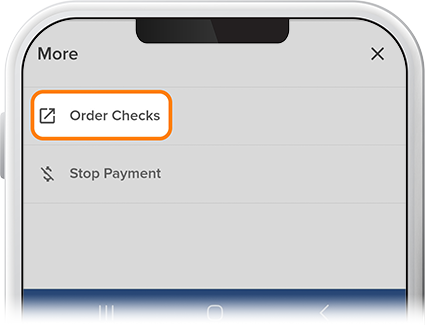
    Order Checks - Step 2