Phishing alert: SELCO impersonators are calling about fraudulent transactions and requesting account information. As a reminder, SELCO will never contact you requesting sensitive information or instruct you to perform transactions. If you receive one of these calls, please hang up immediately.
Add A Beneficiary
Step 1
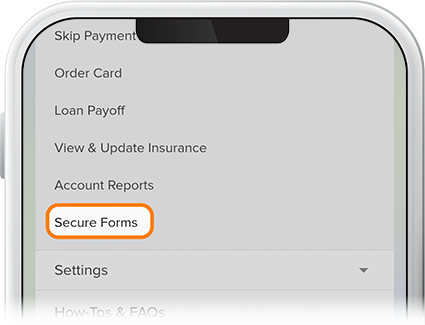
Tap Menu at the bottom of the screen, then scroll down to the More drop-down and select Secure Forms.
Step 2
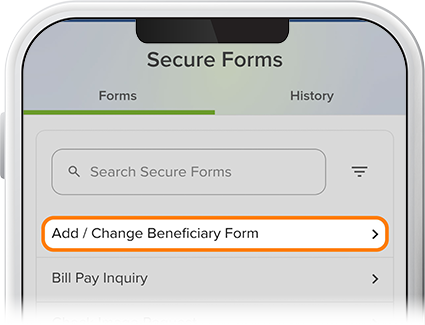
Tap Add / Change Beneficiary Form.
Step 3
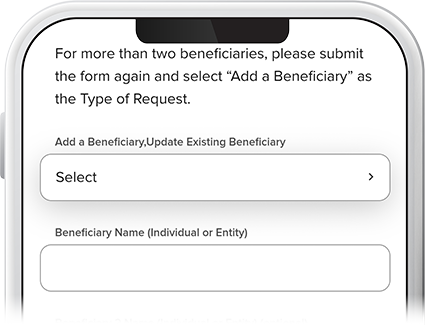
Fill in the fields and tap Submit. To add more than two beneficiaries, simply submit additional forms.
Ahora te estás dirigiendo al sitio web en español.
Nota: En caso de diferencias entre las versiones en inglés y español del sitio web, consulta la versión en inglés o contáctanos si tienes preguntas.