Phishing alert: We’ve received reports of SELCO impersonators calling members about unauthorized transactions. As a reminder, SELCO will never contact you requesting sensitive information or to initiate wire, cash, or Zelle transactions. If you receive one of these messages, please hang up immediately.

Create ACH Templates

  1. Step 1

    Click Manage ACH from the top navigation, then Templates from the left menu.  
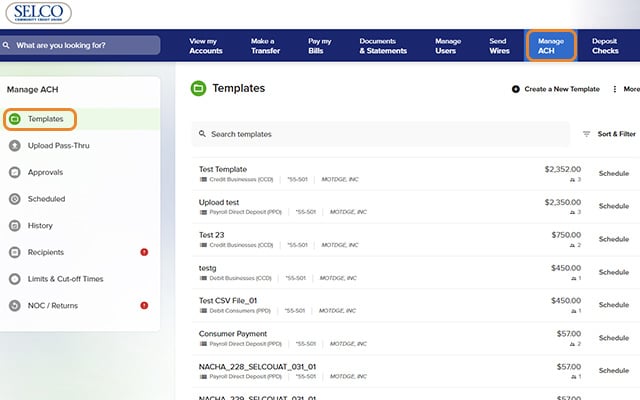
    Create ACH Templates - Step 1
  2. Step 2

    Click Create a New Template at the top right.
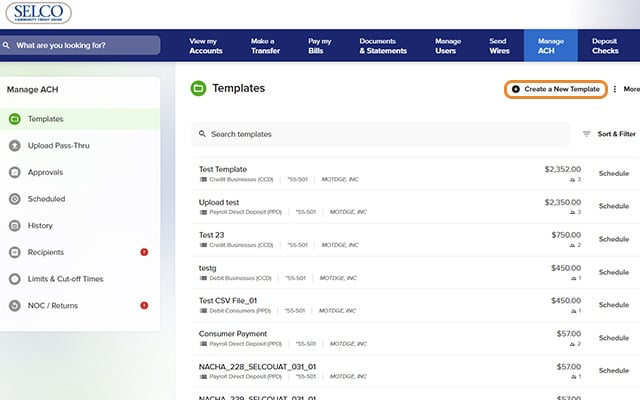
    Create ACH Templates - Step 2
  3. Step 3

    Fill in the fields, including the transaction type and offset account, then click Save.
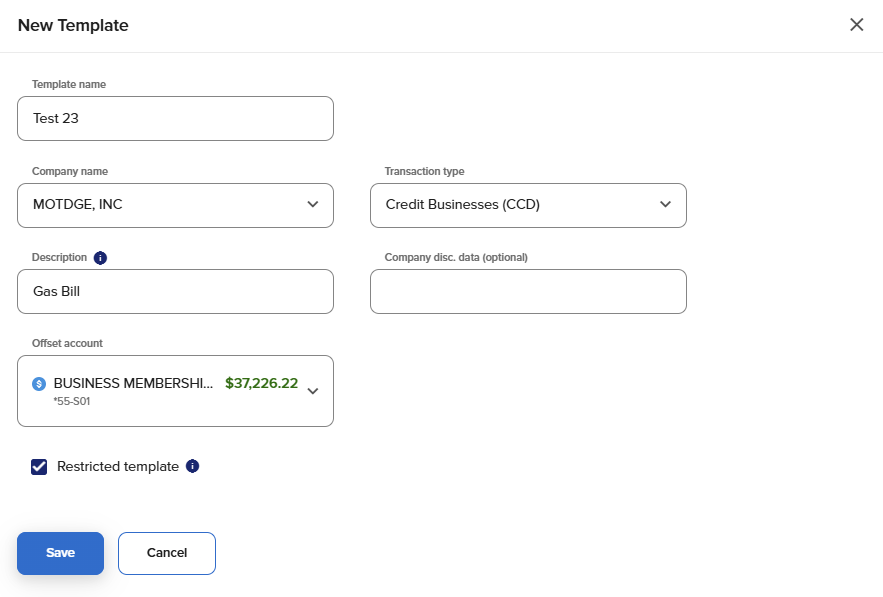
    Create ACH Template - Step 3
  4. Step 4

    Click Add or Import Recipients, select your recipients, and click Save.
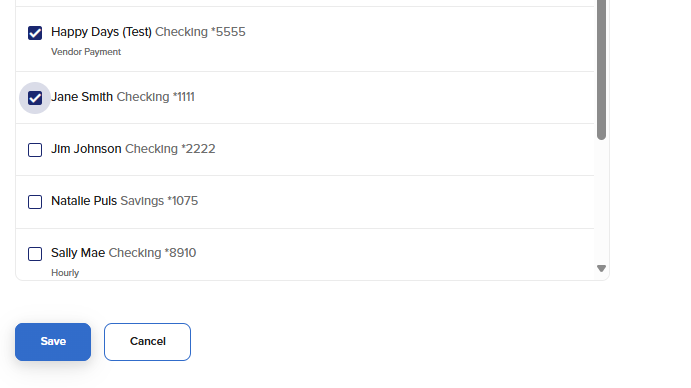
    Create ACH Template - Step 4
  5. Step 5

    Enter a payment amount for your recipients, then press Save. Your template has been created.
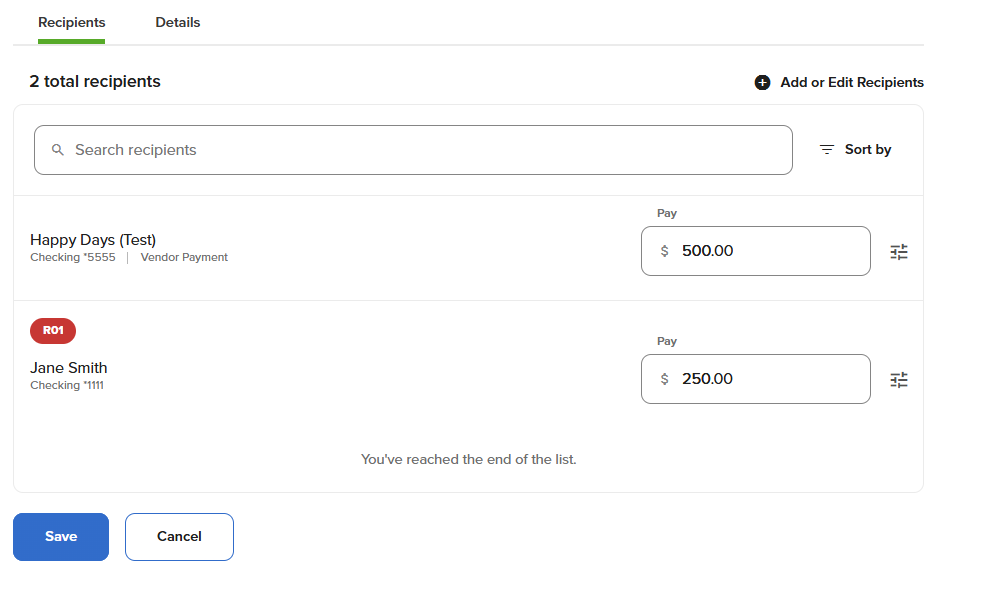
    Create ACH Template - Step 5